

"Before submitting my essays, I always run them through LexiCheck. It catches the small spelling and grammar errors I miss, and the explanations actually teach me why something is wrong."

Nhat Minh
Student
 AI-Powered | Explains In Your Native Language
Upgrade to Pro
Get the Pro – Unlimited plan to unlock all apps and premium features.
LexiBot is not responding
This is usually caused by outdated browser cache or cookies. Please try the steps below first.
First, open LexiBot in an Incognito window and use it there to see if everything works normally.
If LexiBot works normally in Incognito mode, continue to Step 2.
AI Language
Null
Null
Click the box or drag your images here to upload.
Supported file types: JPEG, JPG, PNG, WebP. Maximum size: 2 MB.
If your file type isn't listed, please convert your image using CloudConvert Image Converter .
Detailed Assessment: If you select the "Detailed
Assessment" option, the results will appear here.
Note: Scores are for reference only.
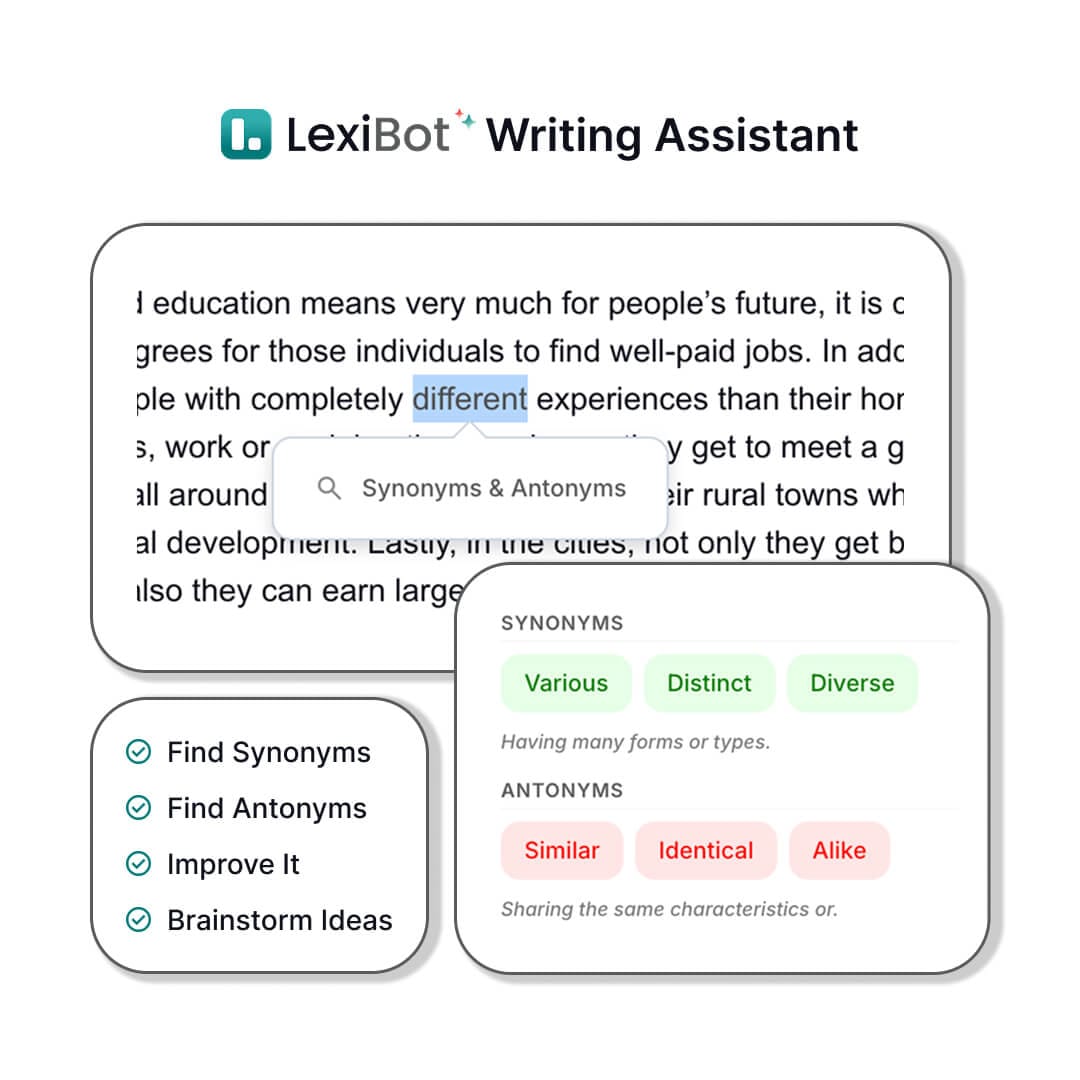
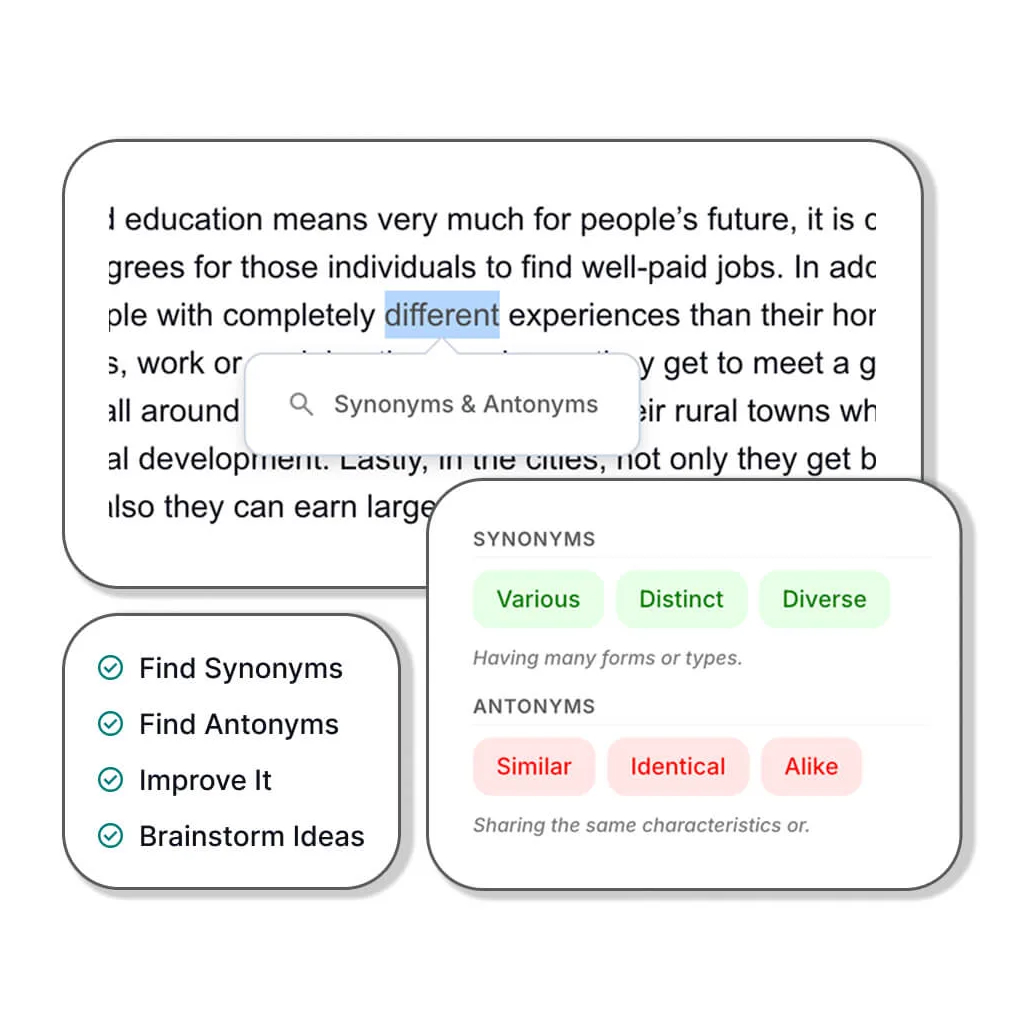
Tip (Desktop only): Highlight any word, sentence, or paragraph in your essay to activate the AI Writing Assistant and get instant suggestions.
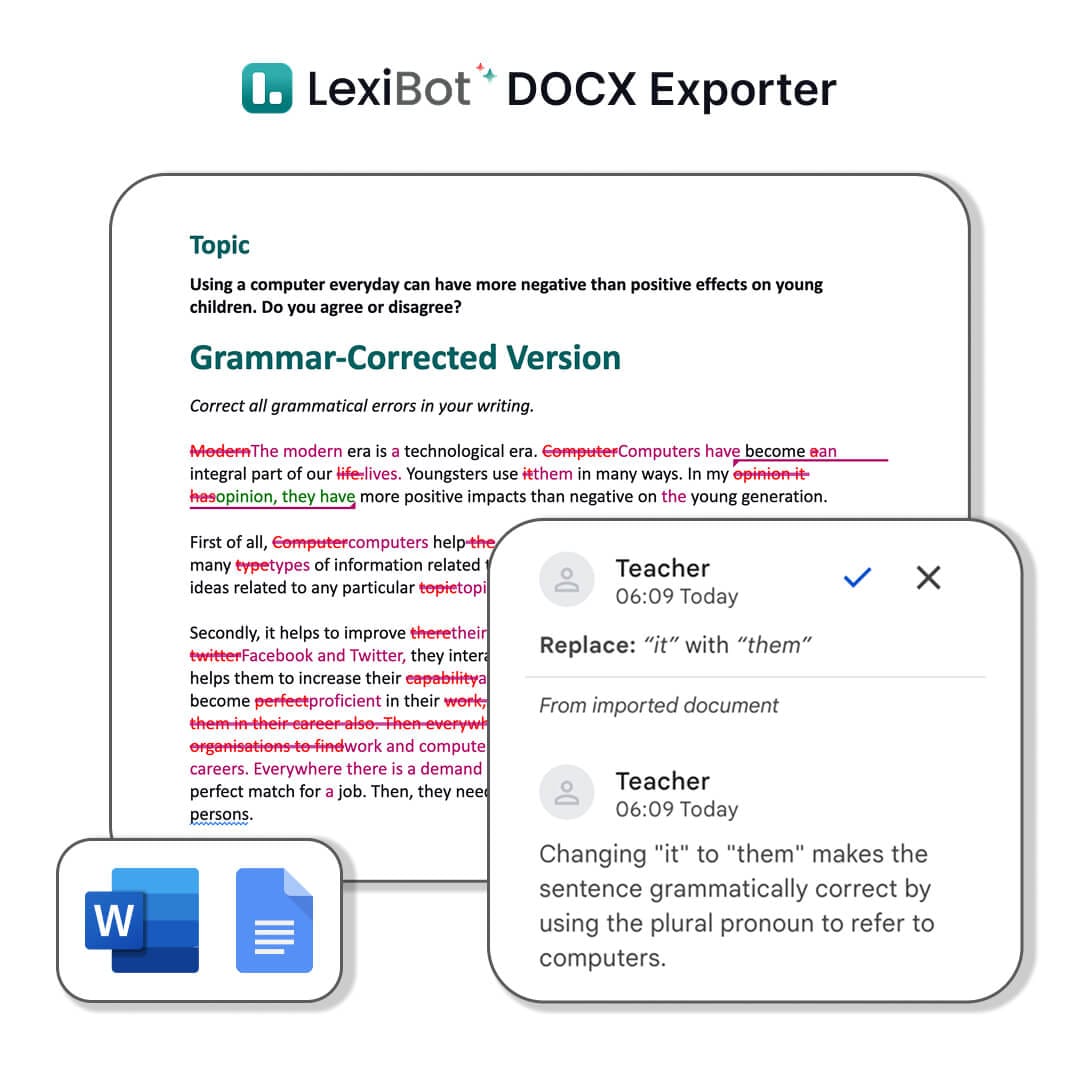
Below is a preview of what’s included in the DOCX files.
(Beta) Personalize the AI voice to better match your teaching style.
Customize your .DOCX files
Pick your band to get feedback that's right for you.
Click the box or drag your images here to upload.
Supported file types: JPEG, JPG, PNG, WebP. Maximum size: 2 MB.
If your file type isn't listed, please convert your image using CloudConvert Image Converter .
Feedback from students, teachers, and writers using LexiCheck to fix spelling, check grammar, and review their work before submitting.
"Before submitting my essays, I always run them through LexiCheck. It catches the small spelling and grammar errors I miss, and the explanations actually teach me why something is wrong."
Nhat Minh
Student
"As a self-learner, I needed a grammar tool that explains errors without overwhelming me. LexiCheck flags punctuation mistakes, grammar issues, and suggests clearer rewrites in a straightforward way."

Quynh My
ESL Student
"I use LexiCheck for emails, lecture notes, and professional documents before sharing them. It catches awkward phrasing and punctuation I overlook, and the style suggestions are genuinely helpful."

Minh Tam
Language Lecturer
"I've tried several spell checkers for my students, but LexiCheck explains errors in context more clearly. Students don't just see what's wrong — they understand why it needs fixing."

Ananya Iyer
IELTS Instructor
"My students use LexiCheck to self-review before class. They appreciate that the suggestions preserve their original meaning while making sentences clearer and more natural."

Sarah Jenkins
English Teacher
"I tested LexiCheck with a group writing in both English and Vietnamese. It handled both languages cleanly, and the error highlights, grammar fixes, and suggestions were easy to follow."

Cong Vinh
Language Lecturer
LexiCheck is an AI grammar checker and spell checker for multilingual writers. Paste your text, click check, and see AI-powered grammar fixes, spelling corrections, and style suggestions — all in one clean interface, supporting 100+ languages.
4.5 / 5 - clear, actionable feedback from LexiCheck
350,000+ students, teachers, and writers across the LEXI ecosystem worldwide



Foreign Trade University

National Economics University



NUST Pakistan


IIT Delhi

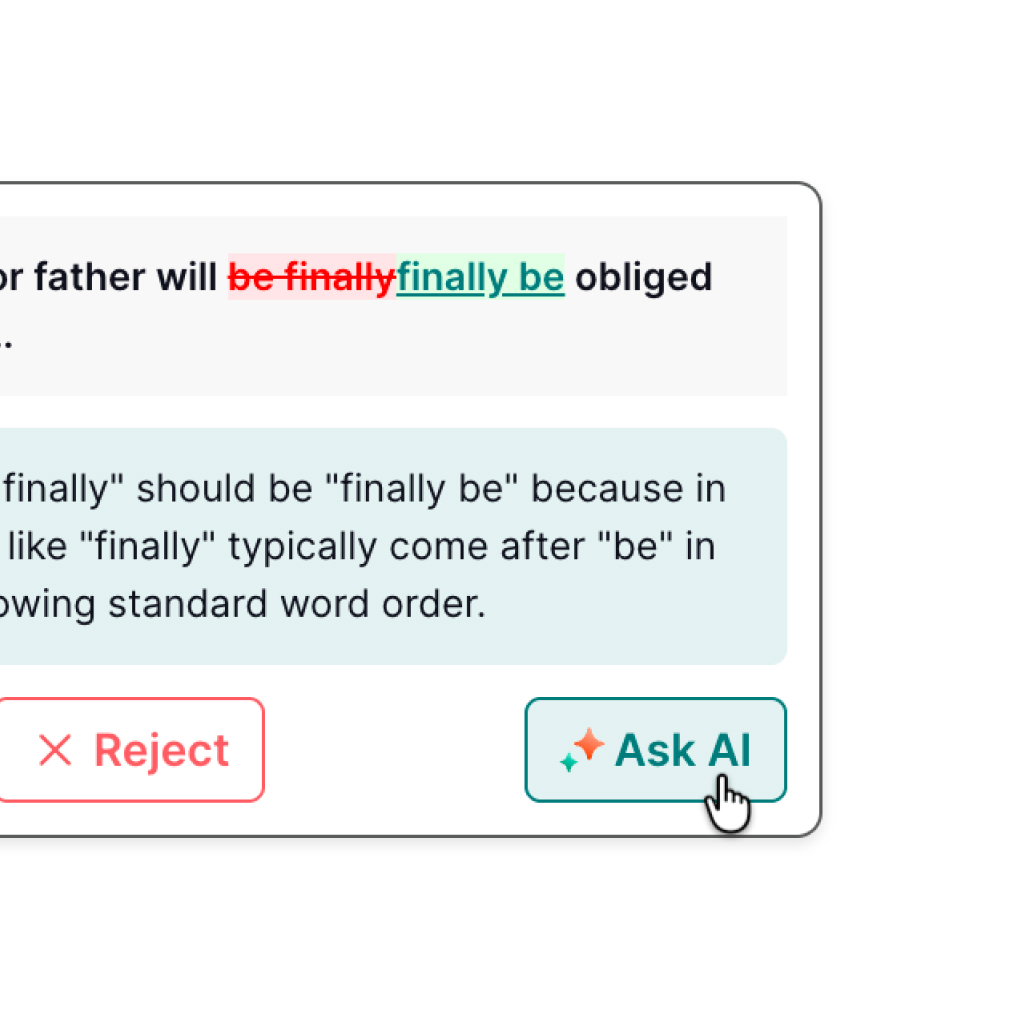
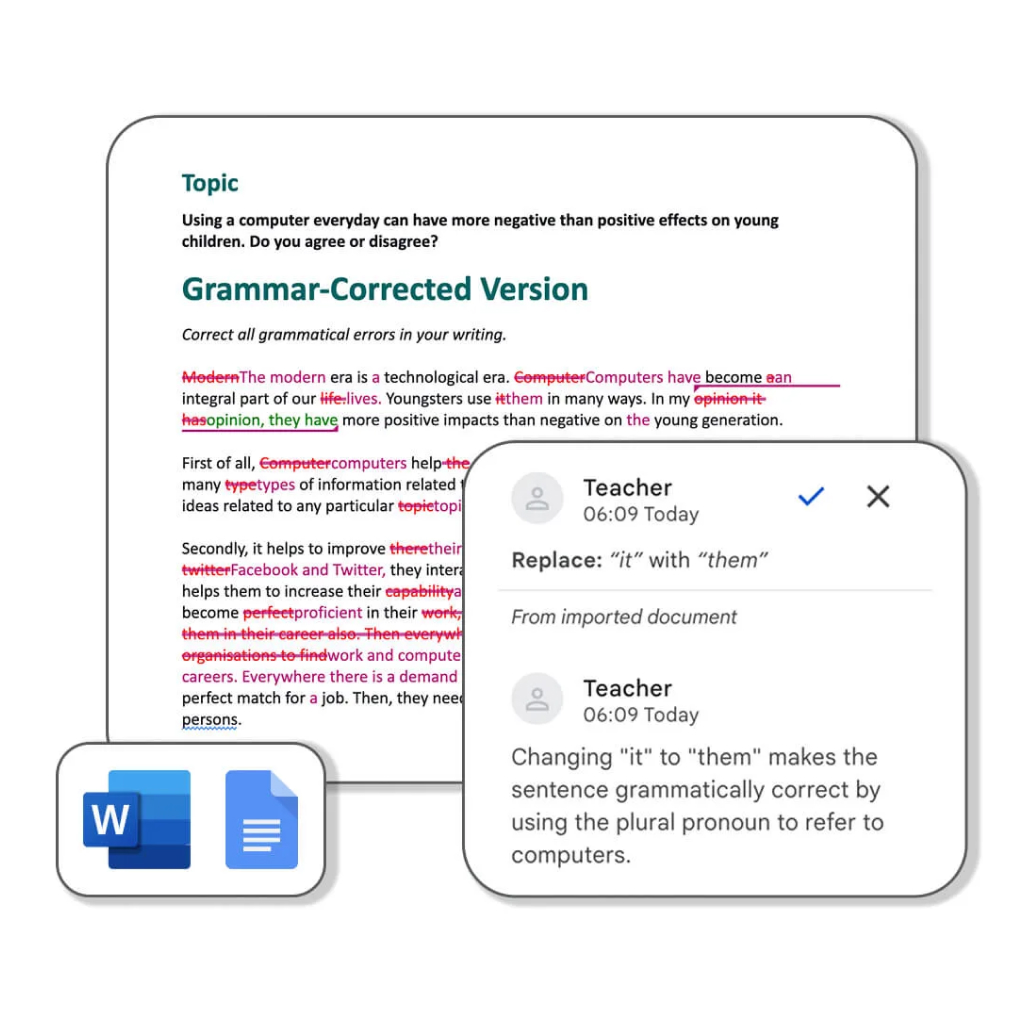
Errors are marked in red and corrections shown in green so you can spot and learn from every mistake at a glance.
A custom-trained AI model fluent in 100+ languages gives you short, clear explanations in the language you choose.
Download the full corrected document with grammar errors underlined and all AI comments ready to review.
LexiCheck helps you fix spelling, check grammar in context, and correct writing errors. Errors are marked in red and corrections shown in green so you see exactly what needs changing.
LexiCheck uses a custom-trained AI model to explain errors, supports 100+ languages, and lets you ask follow-up questions right inside the same workspace.
Download the full corrected document as a DOCX file with grammar errors underlined and all AI comments intact — ready to share or edit further in Word.
LexiCheck supports spelling and grammar checking for the most common languages used in learning, teaching, work, and content editing.
Paste text, click check, and see clear spelling and grammar suggestions almost instantly.
Check nowA custom-trained AI model explains why a sentence needs fixing — in the language you are using.
Check nowSee rewrite suggestions, improve clarity, and make your sentences smoother.
Check nowIncrease your limits, unlock the full tool suite, and access advanced AI writing features.
View pricingJust paste your content, choose a language, and let AI help you fix spelling, check grammar, and clarify your writing.

Paste your content: Type or paste text directly into LexiCheck to start the spell and grammar check.
Choose a language: Select the language you want AI to use for explanations — English, Vietnamese, or any other supported language.
Enable AI analysis: Get an overall assessment, improvement suggestions, and answers to questions about errors you are unsure of.
Review and download: Click to fix, see errors in red and corrections in green, then download the DOCX if you want to save your edits.
LexiCheck is more than a spell and grammar checker. Each user group gets the right kind of support when writing, learning, editing, or giving feedback.
Self-practice at home, catch common errors, see corrections in green, and read clear explanations before submitting or sitting an exam.
Cut marking time with clearly flagged errors, detailed AI comments, and a shareable DOCX ready to send back to students.
Paste a draft, smooth out the sentences, and download a DOCX with underlined errors to keep editing.
Common questions about the spell checker, grammar checker, and how to use AI to fix errors faster.
Grammarly focuses mainly on English, while LexiCheck supports spelling correction, grammar checking, and error explanations across 100+ languages — making it a better fit for language learners, teachers, and multilingual writers.
Use LexiCheck for free to fix spelling, check grammar, and improve your writing instantly. Upgrade to Pro when you need more usage and advanced AI features.